

🚀 Suite Overview
Welcome to the Suite Details Page – your hub to create, run, and manage test suites with workflows inside. Simple, efficient, and built for speed.✨ What is a Suite?
A Suite is a group of workflows bundled together for easier execution and scheduling. It helps you manage automation logic as one unit.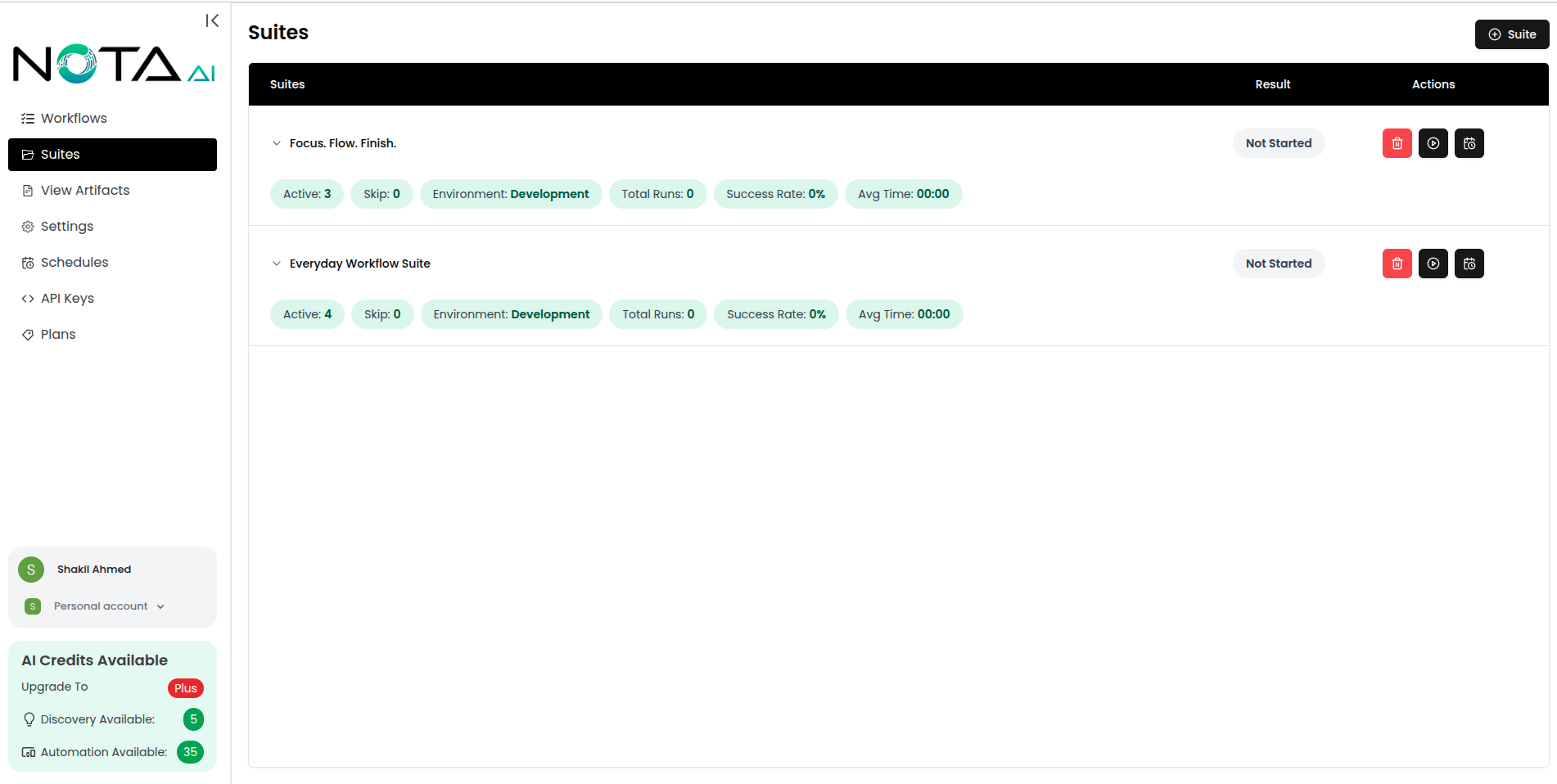
🔧 What You Can Do
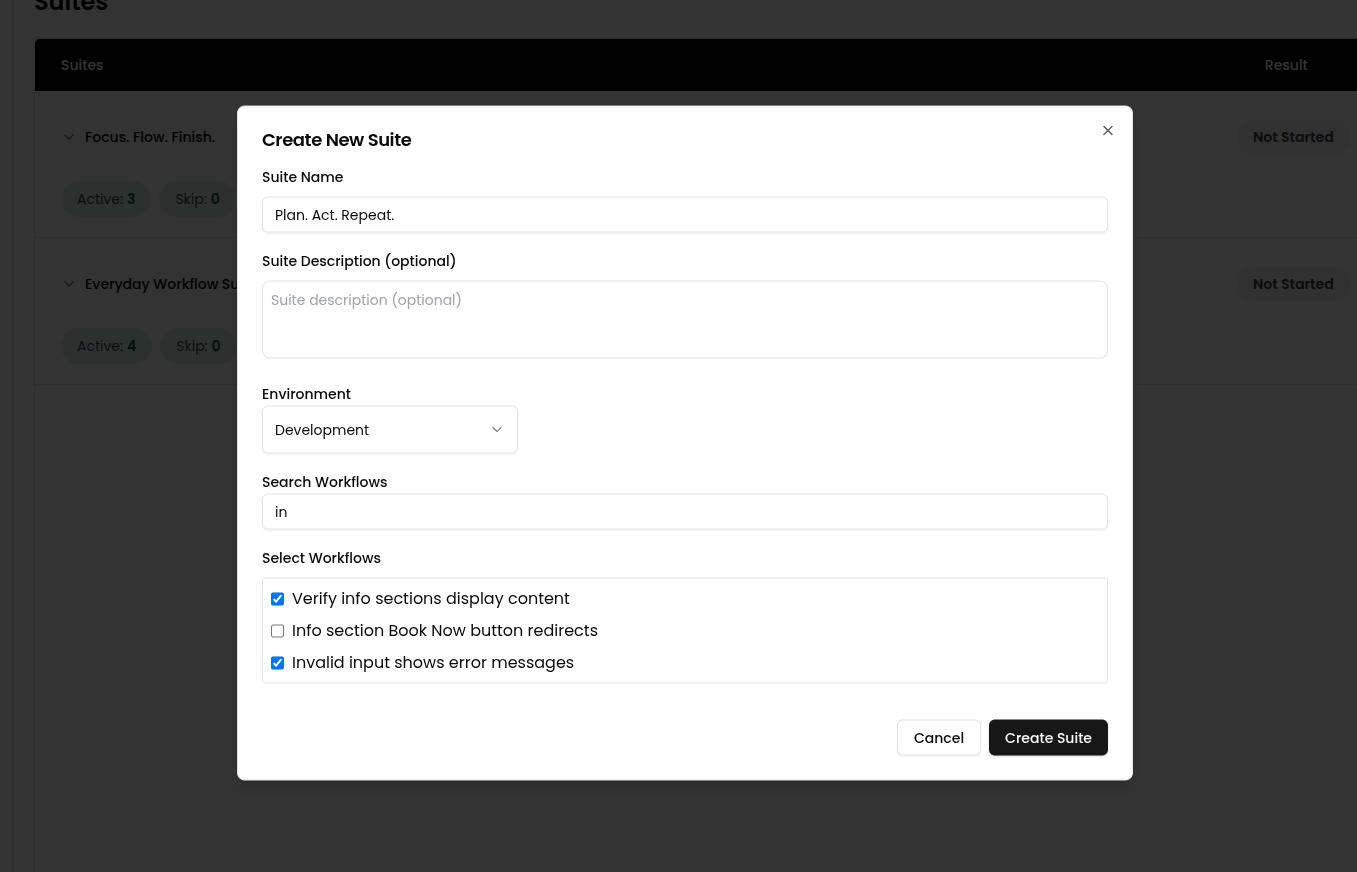
🆕 1. Create a Suite
- 📌 Name your suite
- 🧩 Add one or more workflows
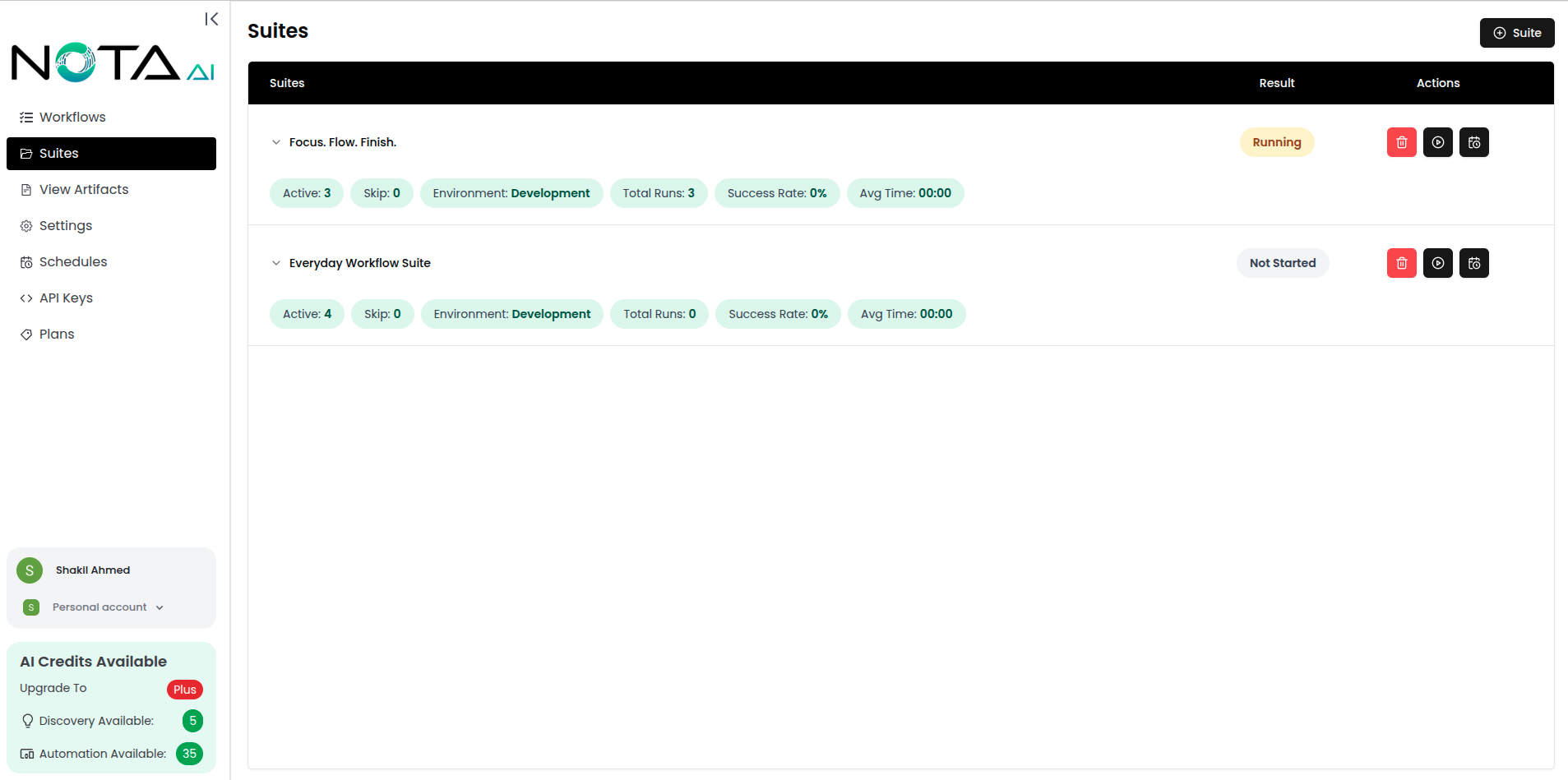
🚀 2. Run a Suite
Instantly trigger the execution of all workflows in a suite.- 🧾 View real-time status and logs
- ⏱️ Monitor outcomes: Passed, Failed, Failed (Bug), and Env Failure
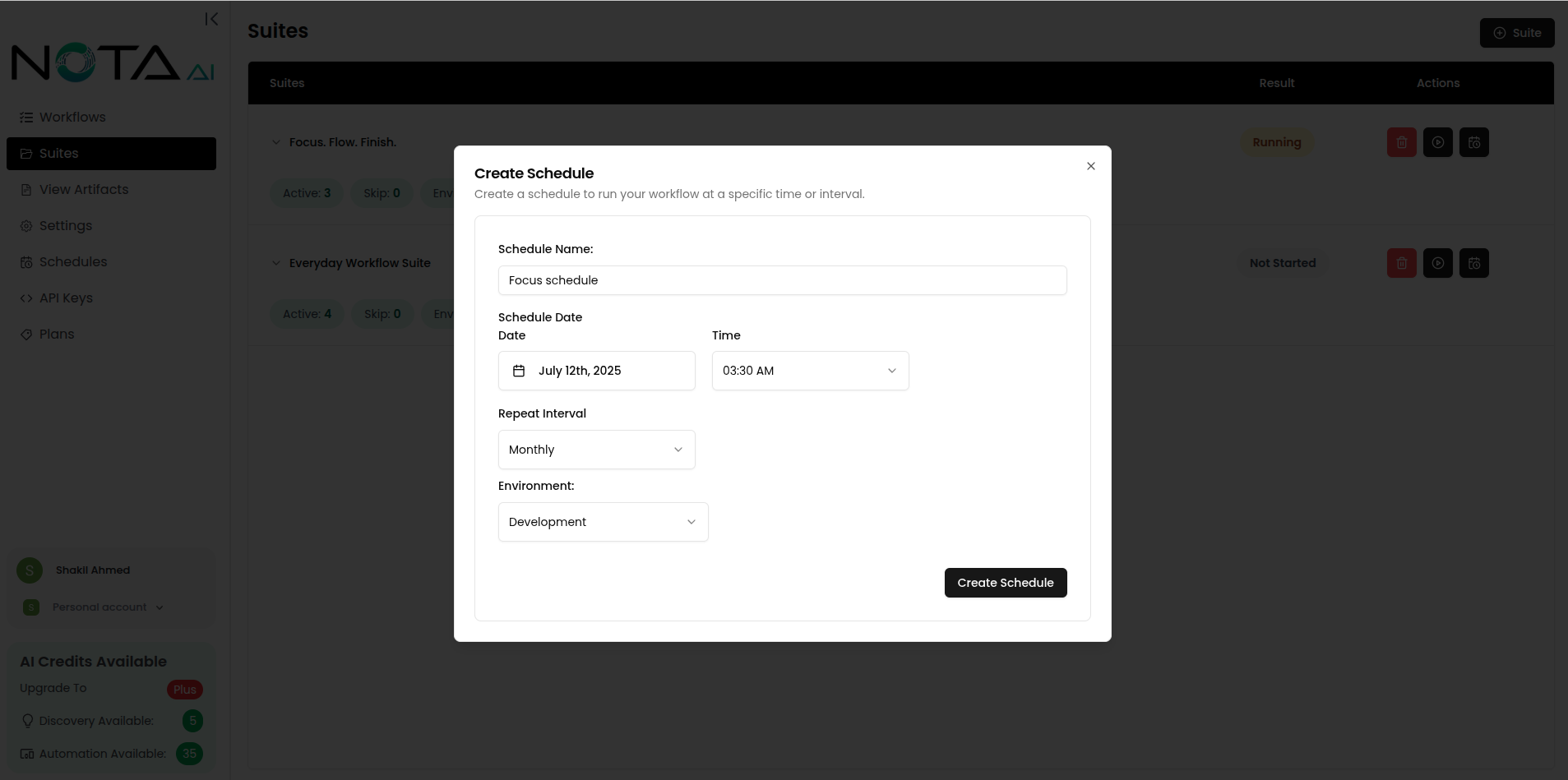
📆 3. Schedule a Suite
- ⏰ Create scheduled runs for consistent execution
- 🔁 Useful for nightly builds or timed test cycles
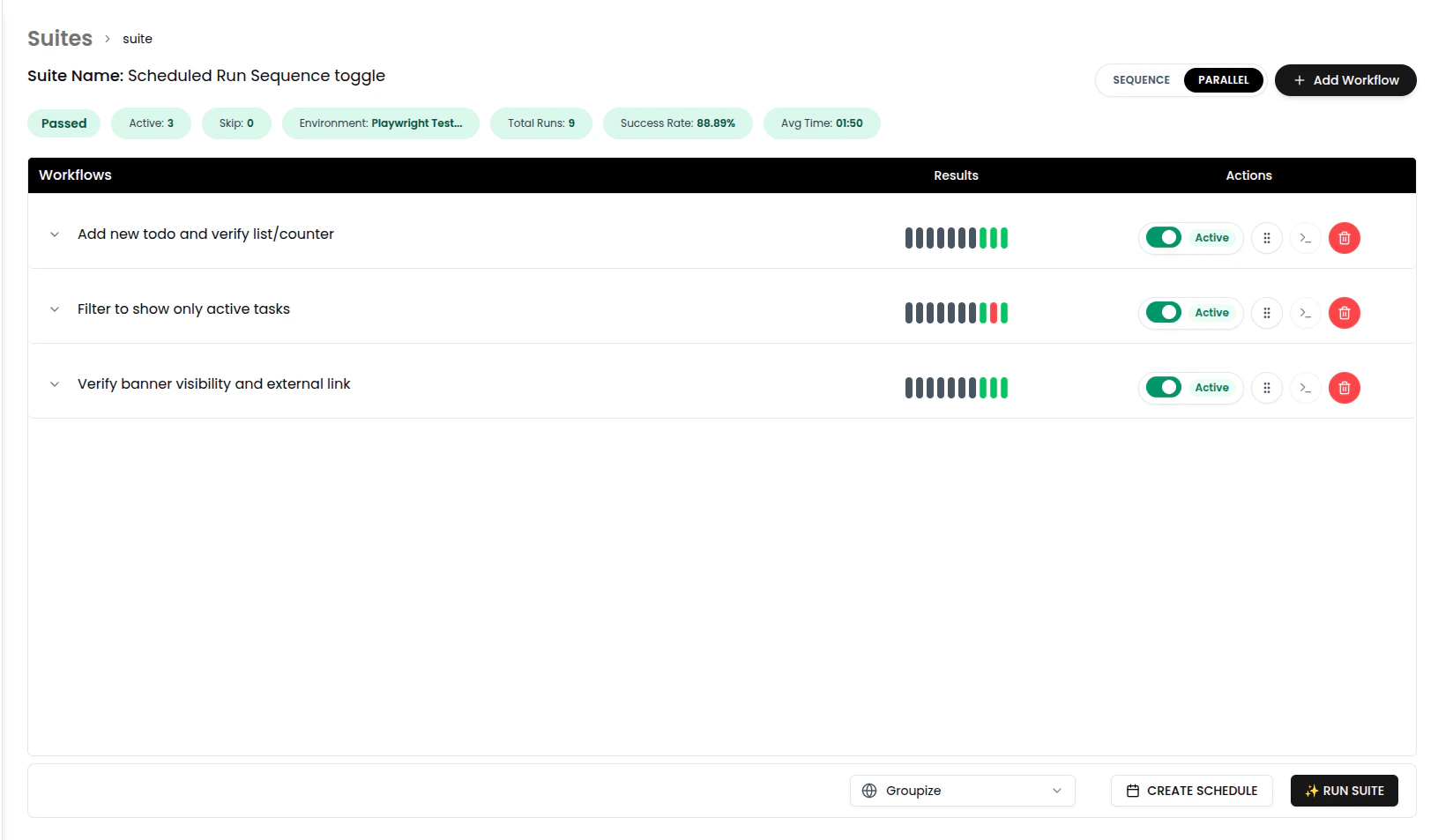
🧭 4. Sequential vs Parallel (Suite Run)
When you run a suite, use the toggle to choose how workflows execute:- Sequential runs workflows one after another.
- Parallel runs workflows at the same time.

🎯 5. Manage Workflows in a Suite
Control which workflows are active:- ⏸️ Skip workflows temporarily
- ✅ Reactivate skipped workflows
- 🔀 Re-order workflows with drag and drop before running the suite.
🧭 How to Get Here
Dashboard → Suites → Select a Suite