
Advanced Use Cases

Workflows can handle advanced and complex scenarios. Below are examples of advanced use cases and tips on crafting workflows tailored to your own applications.

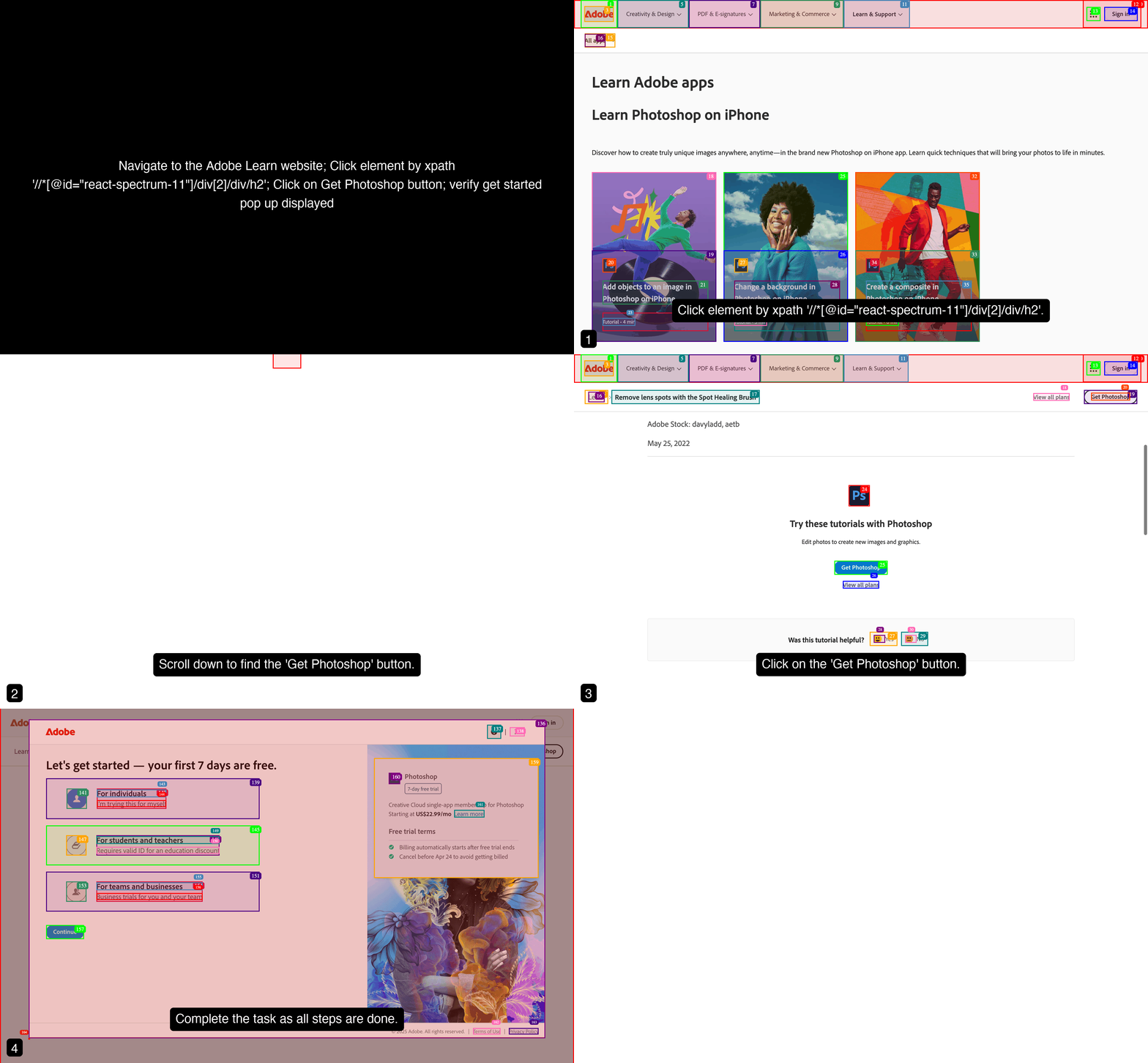
1. Click Action via XPath

Prompt:
Navigate to the Adobe Learn website; Click element by xpath '//*[@id="react-spectrum-11"]/div[2]/div/h2'; Click on Get Photoshop button; Verify 'Get Started' pop-up is displayed
Use Case: Click Action via XPath

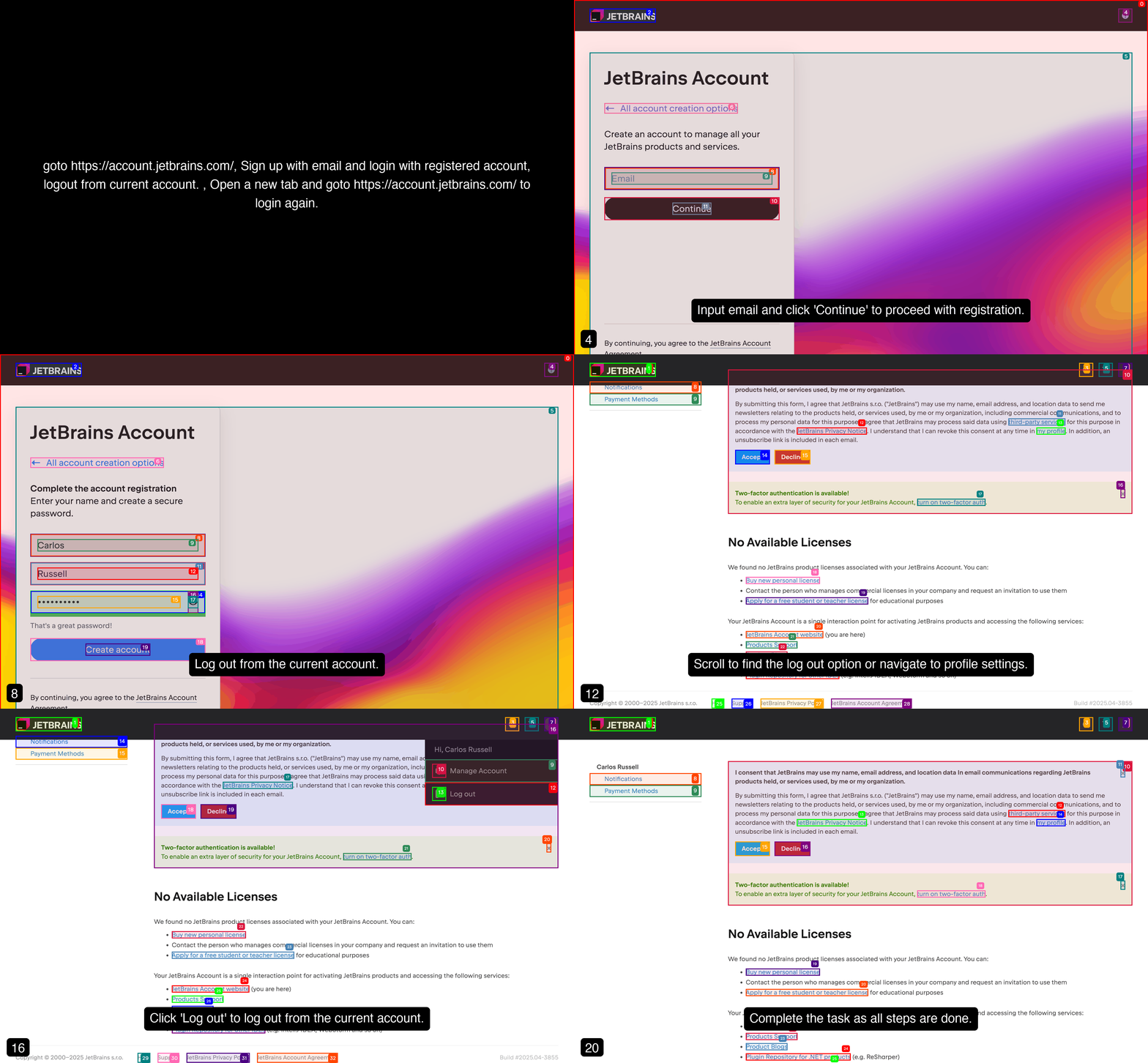
2. Two-Factor Authentication (2FA) - Email

Prompt:
Go to https://account.jetbrains.com/, sign up with email and log in with the registered account; log out; open a new tab and return to https://account.jetbrains.com/ to log in again.
We have configured our agent to work with 0dfx.email service, where it can watch for the inbox activity.
Use Cases: Click Action via Xpath

3. Hover and Click Action with CSS Selector

Prompt:
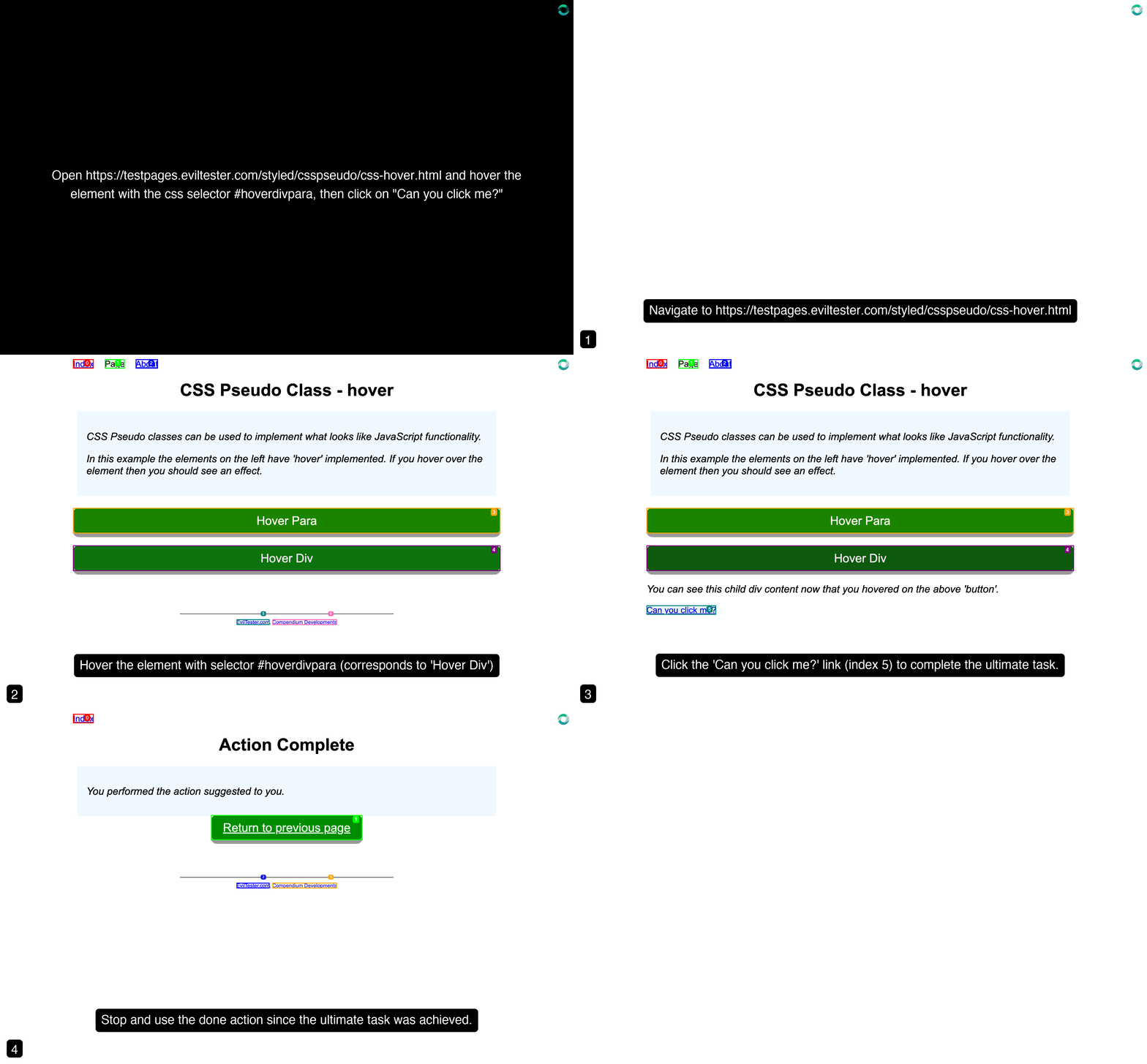
Open https://testpages.eviltester.com/styled/csspseudo/css-hover.html and hover the element with the css selector #hoverdivpara, then click on "Can you click me?"
Use Case: Hover and Click via CSS Selector

4. Download and Summarize XLSX File

Prompt:
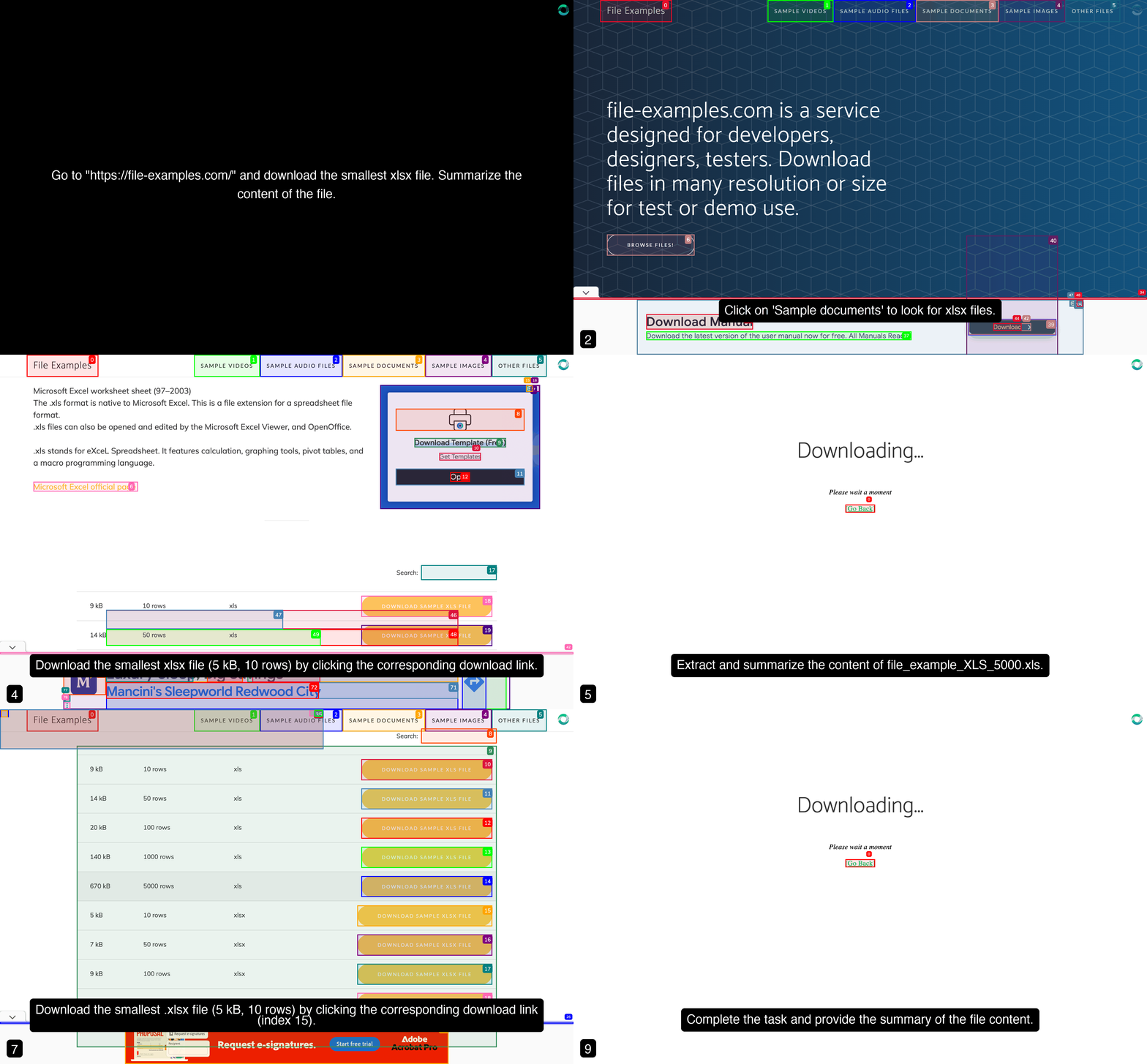
Go to "https://file-examples.com/" and download the smallest xlsx file. Summarize the content of the file.
Use Case: Download and Summarize XLSX File

5. Upload a given file and reset it

Prompt:
Go to "https://formy-project.herokuapp.com/" and navigate to file upload and upload qa.jpg file, ensure file uploads and reset it
We uploaded the qa.jpg file as test data using the File Upload section on the Settings page.
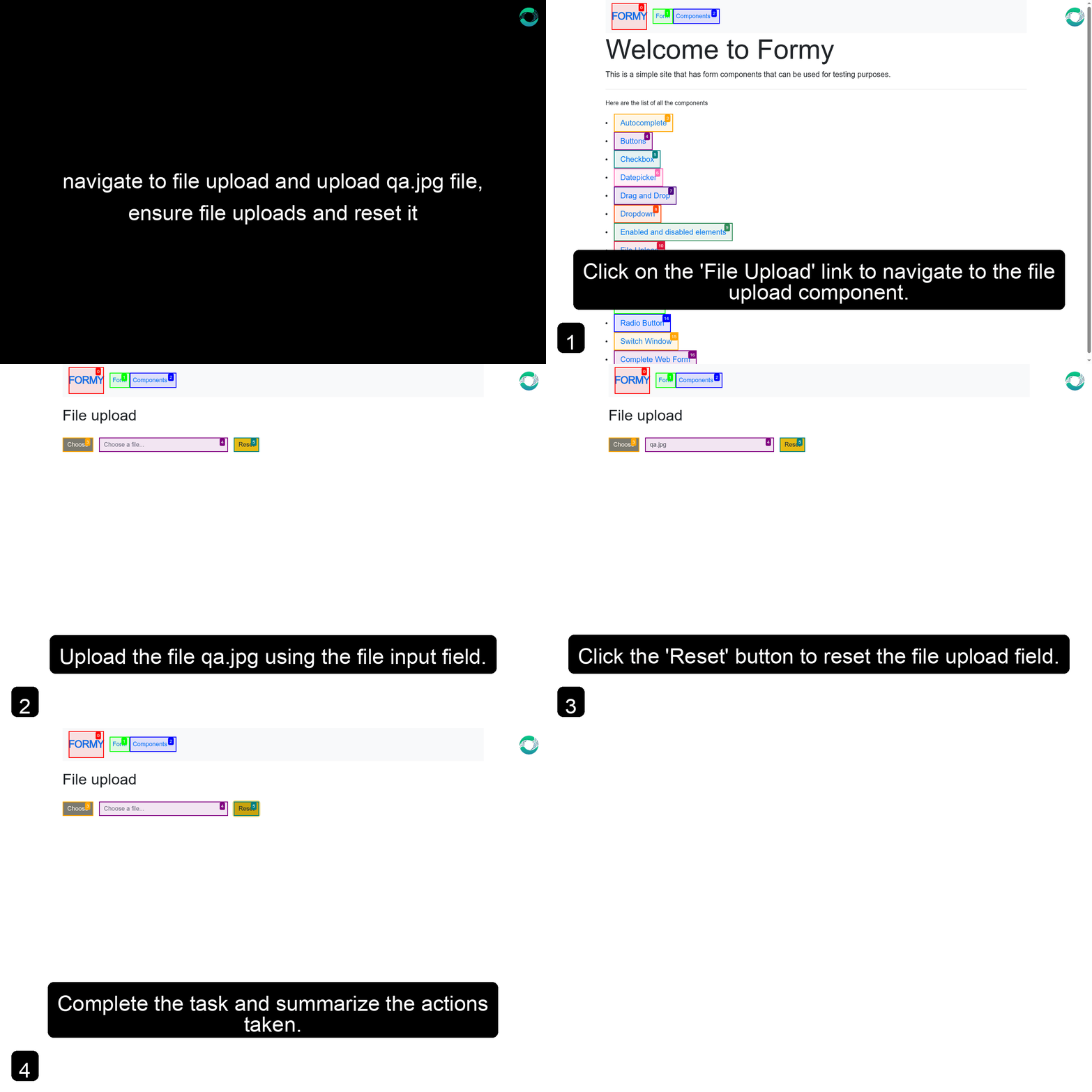
Use Case: Upload a given file and reset it You’re now ready to execute or automate your AI Agent workflow! πŸš€