
Purpose
PRD Mode ingests structured or free-form requirement docs to produce scenario-based tests. It is ideal for early-stage planning, audit trails, and regression prep when UI work is still underway.Requirement Mapping
Links each test to the source section, version, and acceptance criteria.
Gap Radar
Calls out fuzzy language, missing edge cases, and ownership holes.
Inputs & Formatting
- Upload PRDs in PDF, DOCX or Notion export.
- Use headings for major features; bullet lists for acceptance criteria.
- Optional metadata: release name, squad, priority labels.
Step-by-Step
- Start Coverage Agent → PRD Mode.
- Drag-and-drop your PRD files or paste share links.
- Tell the agent what you’re validating (“full onboarding” vs. “billing delta only”).
- Run generation; the agent parses sections, extracting entities, rules, and dependencies.
- Review output tables: each test lists scenario, expected result, required data, and PRD citation.
- Use follow-ups like “flag missing performance metrics” or “convert to Gherkin” before exporting.
Provide PRD Inputs Your Way
PRD Mode accepts links, fresh uploads, or previously stored files. Use the option that best matches where your source of truth currently lives. All three options live inside the same Linked sources modal you access via the PRD chip—identical to the interface you see in Figma Mode.Option 1: Paste a PRD URL
- Click the PRD chip beneath the composer and choose Linked sources.
- Paste any publicly accessible link (Notion, Confluence, Google Doc, etc.).
- Select Add and let Nota fetch and stage the document for analysis.
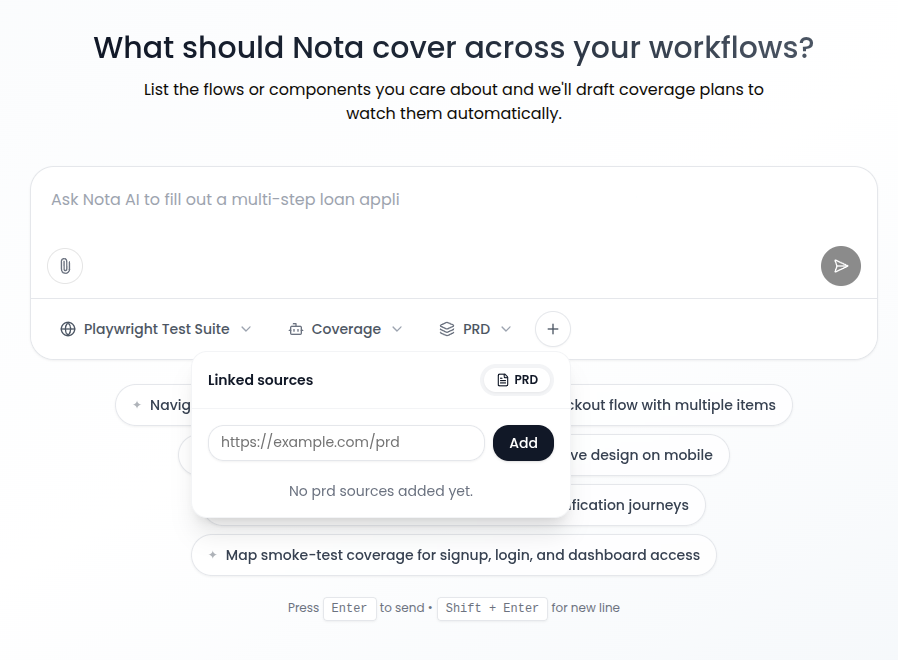
/images/new-chat/prd-link.png.
Option 2: Upload PRD Files
- In the same modal, switch to Upload.
- Drag-and-drop or browse for
.pdf,.docx,.json,.txt, or any supported format. - Wait for the status pill to show the upload finished, then close the modal to continue prompting.
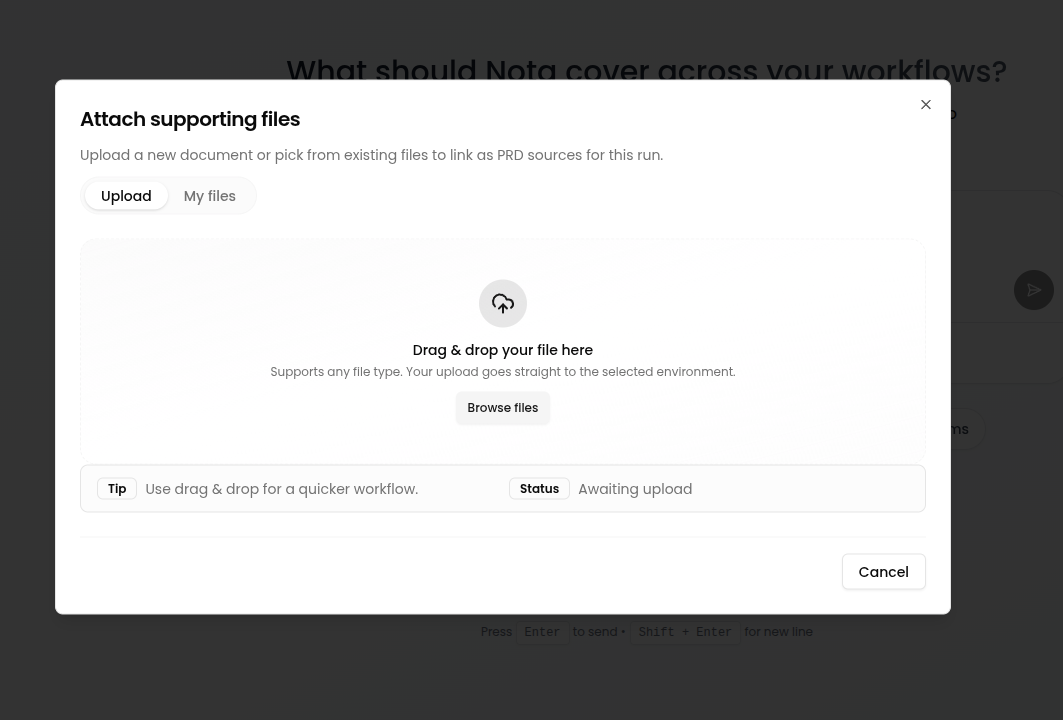
/images/new-chat/prd-upload.png.
Option 3: Select Files from My Files
- Choose the My files tab inside the uploader.
- Filter by environment (e.g., Playwright Test Suite) to scope available documents.
- Pick one or more existing assets and press Select—they attach instantly without re-uploading.
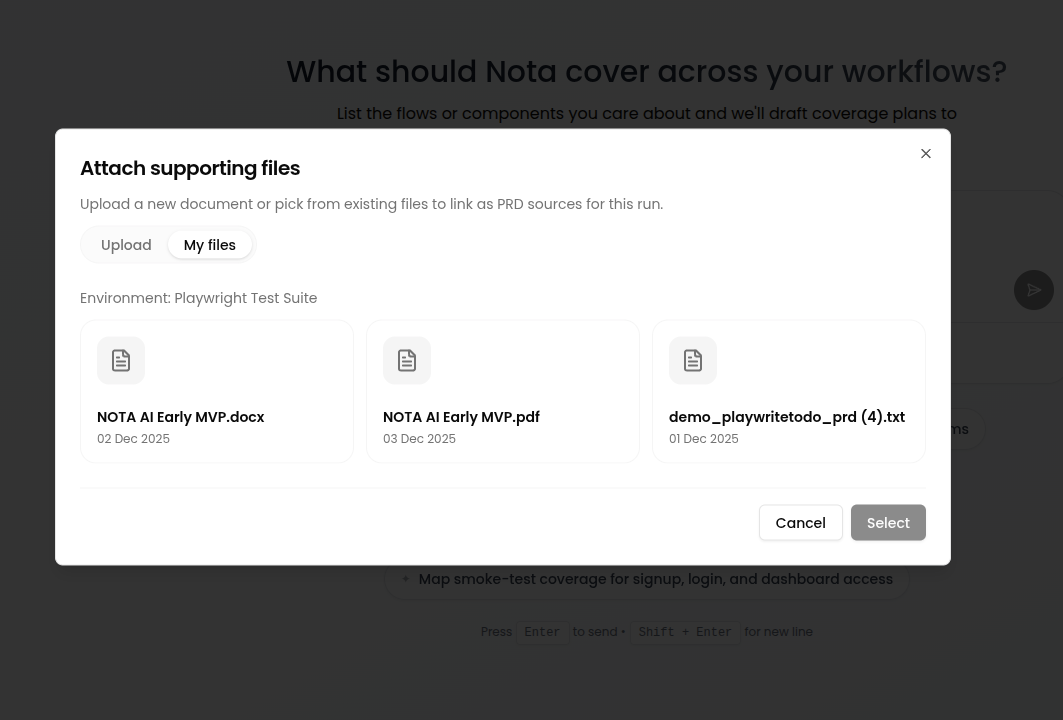
/images/new-chat/prd-my-files.png.