
📦 Artifacts
Each time you execute a workflow in Nota AI, it generates artifacts that capture what happened during the test.These artifacts help developers and QA teams debug, analyze, and share results more effectively. You’ll get:
- Test case code — the generated automation script
- Task breakdown — a step-by-step view of what happened
- Video and GIF recordings — to visually verify test execution
- Downloadable trace archive (
trace.zip)
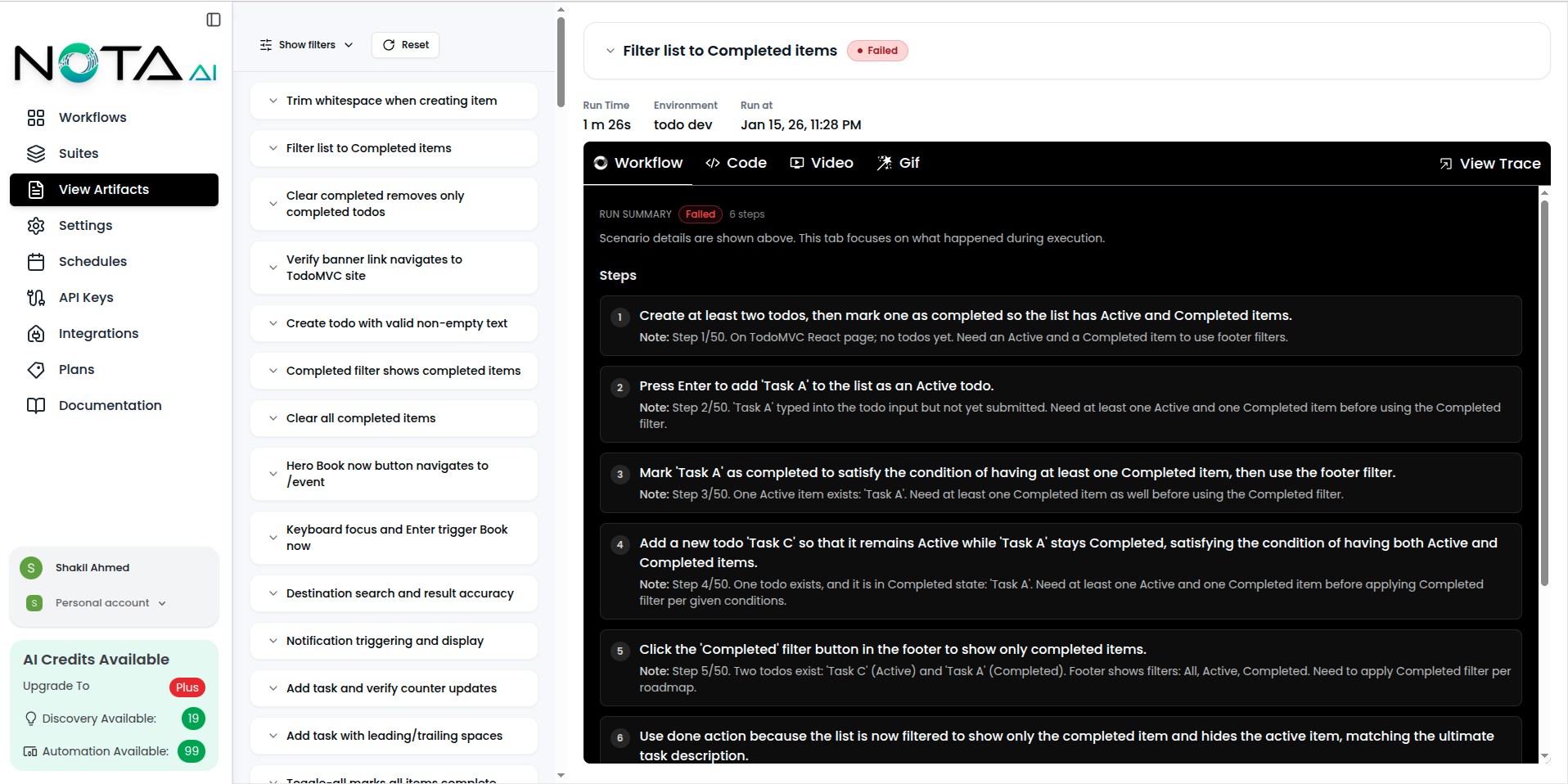
Sidebar Overview
The left sidebar on the Artifacts Overview page provides powerful organizational tools:-
Group by Workflow
Organize artifacts based on the workflow they belong to, making it easier to analyze test runs by functionality or module. -
Group by Date
View artifacts chronologically to track execution history and identify recent changes or regressions. -
Filters
Apply filters to narrow down artifacts by various criteria such as:- Workflow name
- Status (e.g., Passed, Failed)
- Coverage created by
- Sort by date
💡 Tip: Combining filters with grouping lets you drill down into specific workflows during a given timeframe or isolate failed test cases.
📸 Sidebar UI Example
🧑💻 Code
Each executed workflow produces test case code—a representation of all the steps performed during automation.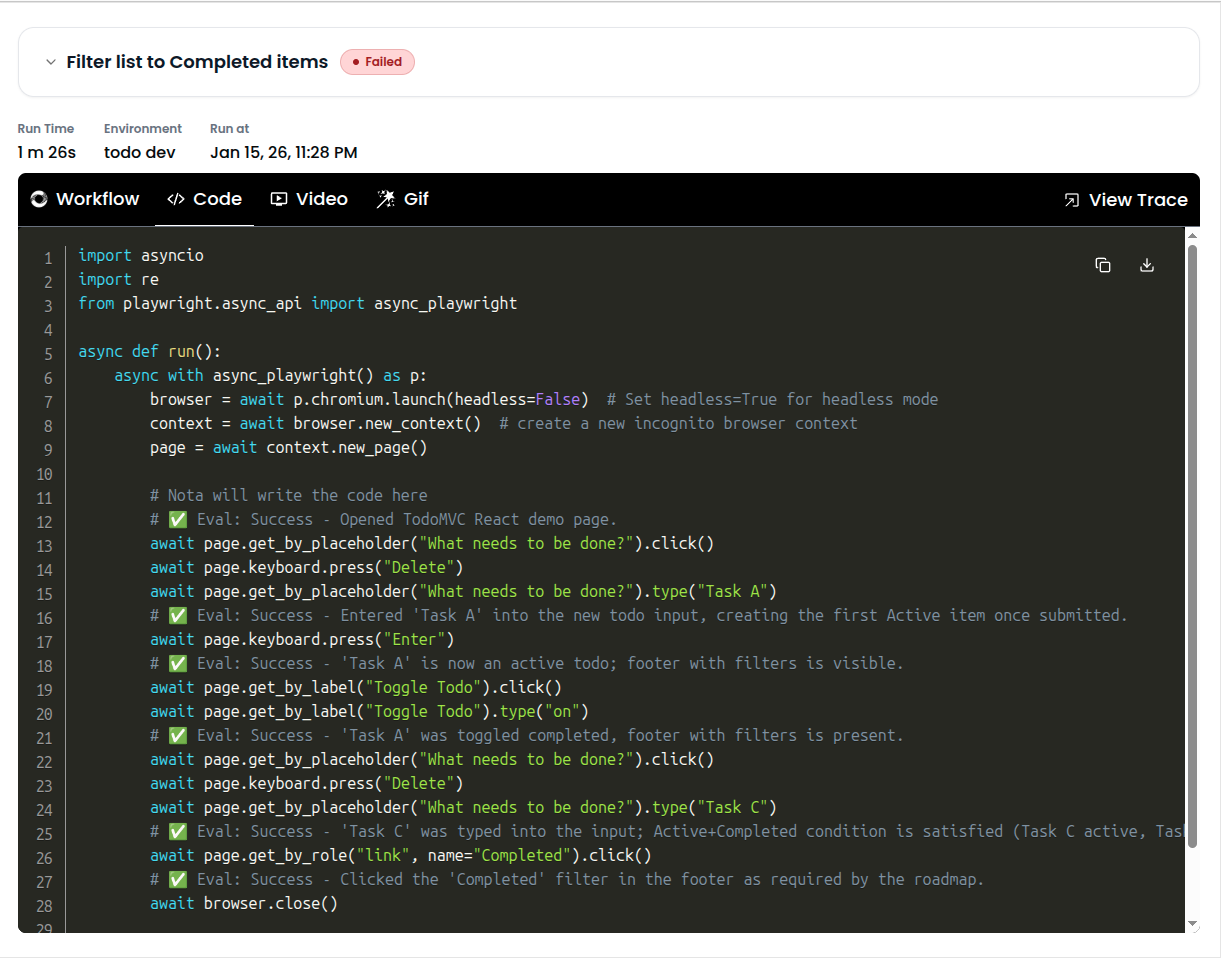
✅ Task Breakdown
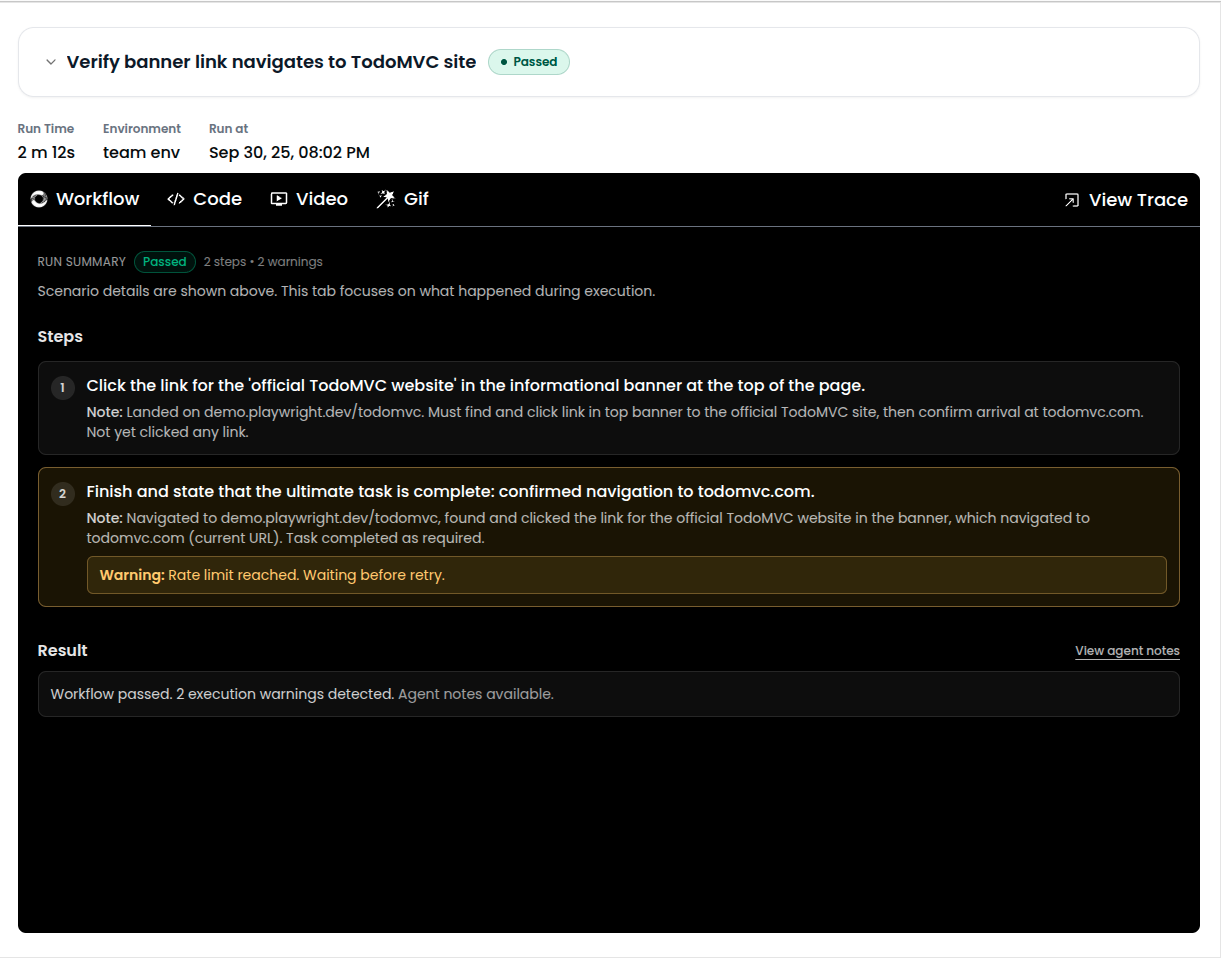
The Task tab shows a step-by-step breakdown of the workflow as executed.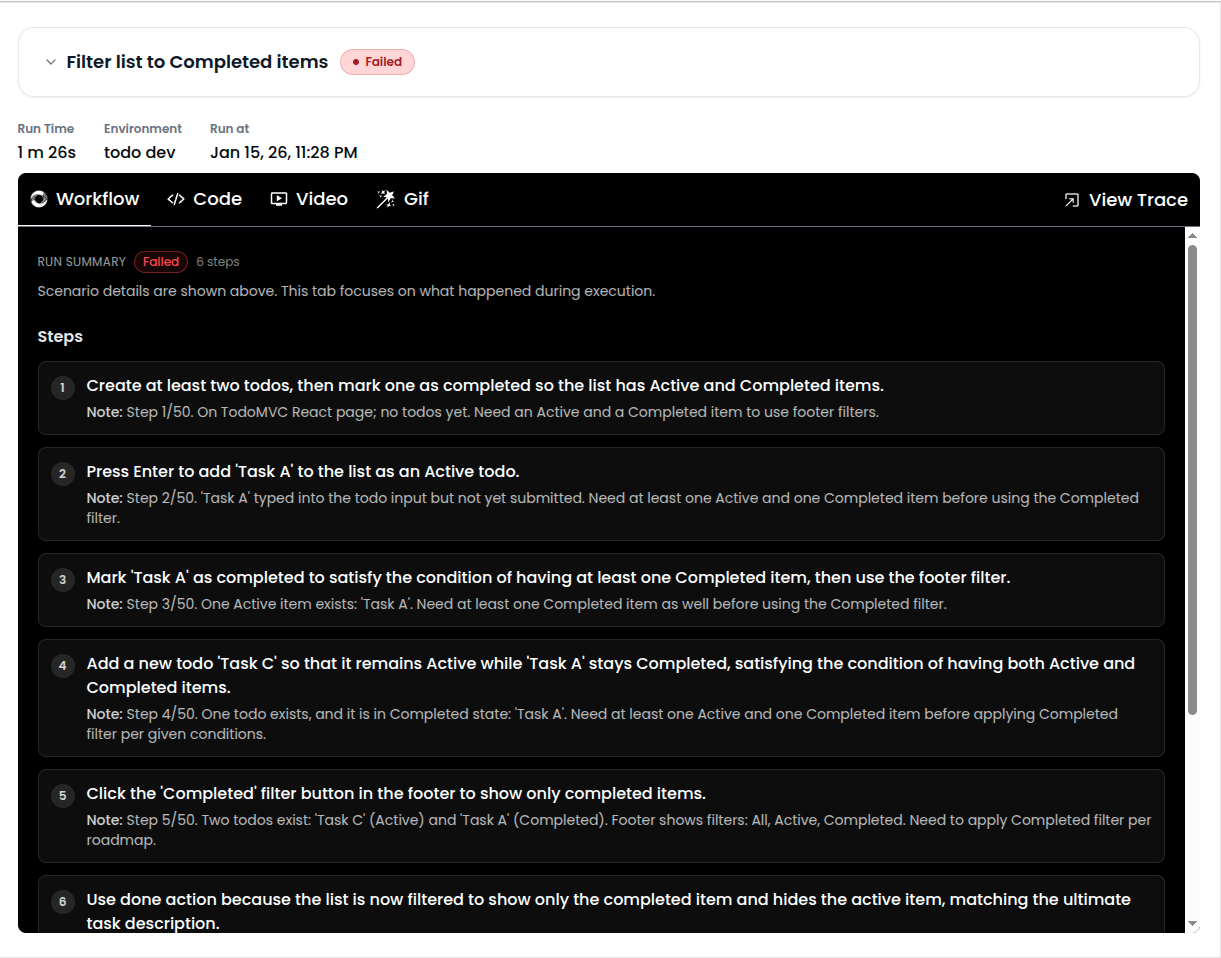
- Understand how the AI interpreted your prompt
- Pinpoint failures or unexpected behavior
- Errors are displayed within the interaction trace, so you can debug faster.
🎥 Video Playback
Nota records a video of the full test run for in-depth debugging. Use the video to:- Visually confirm test flow
- Share with your team
- Spot subtle UI issues
🖼 GIF Summary
For quick review or sharing, Nota also generates a compressed GIF of the test run.
- Pull request comments
- Slack/issue sharing
- Quick team updates
🗂 Trace File (trace.zip)
With every test you run, Nota AI gives you a full trace of execution—from raw test code to visual artifacts—so you can debug faster, share insights easily, and continuously improve your workflows. 🚀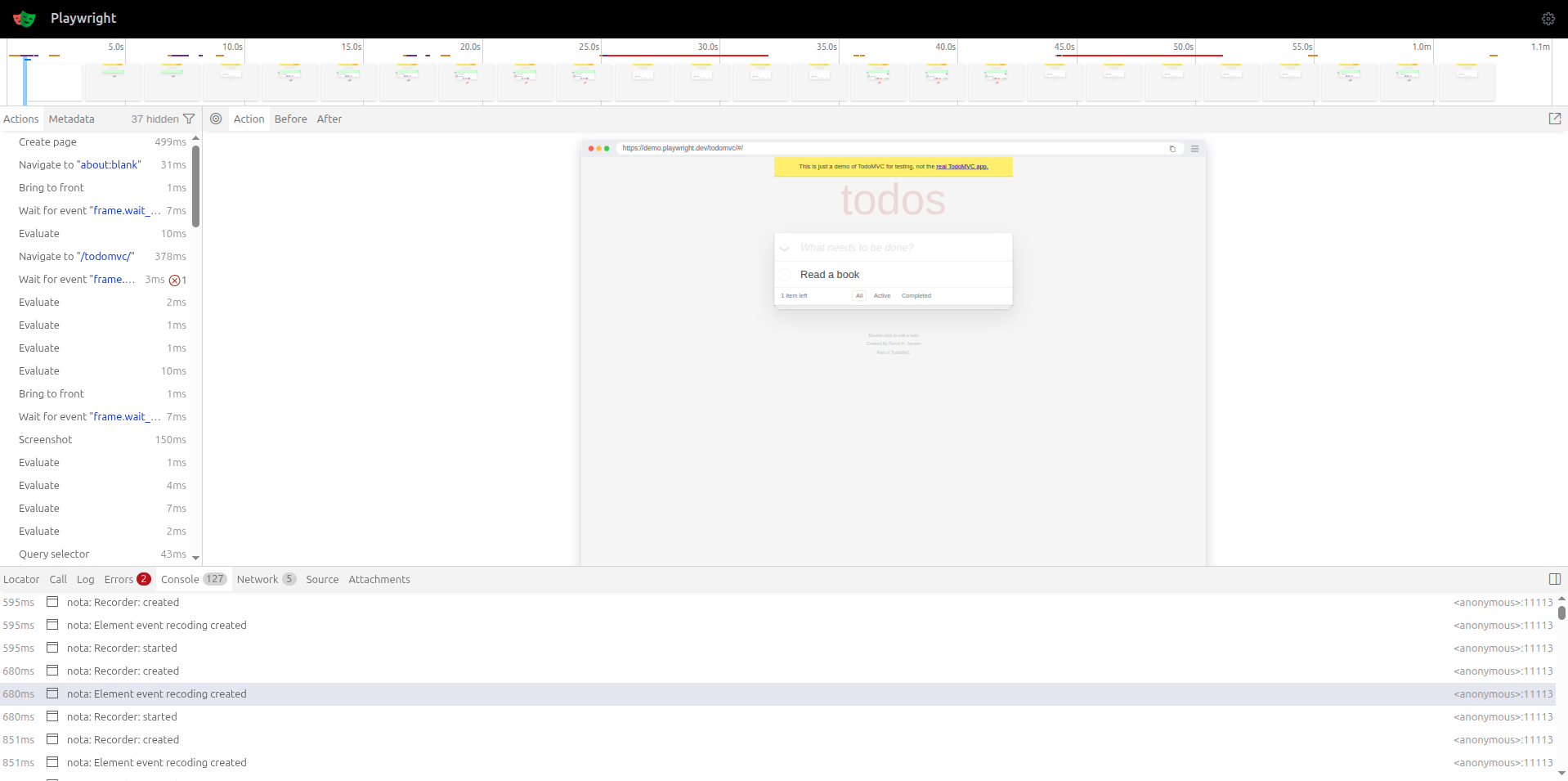
- Browser trace logs
- Screenshot snapshots (if applicable)
- Raw execution data
- You need a deeper debugging view
- Sharing detailed logs with teammates
- Integrating into CI/CD pipelines