

🔑 Environment Variables
Environment variables let you keep sensitive or frequently reused data—such as API keys, user credentials, or feature flags—centralized and encrypted inside Nota.Why Use Environment Variables?
- Reference values across multiple workflows without duplicating them.
- Provide different values for each environment (dev, staging, prod) while keeping key names consistent.
- Rotate secrets safely in one place instead of editing many workflows.
Add or Update a Variable
- Open Settings → Environment Variables.
- Click ➕ Add Variable or select an existing entry to edit.
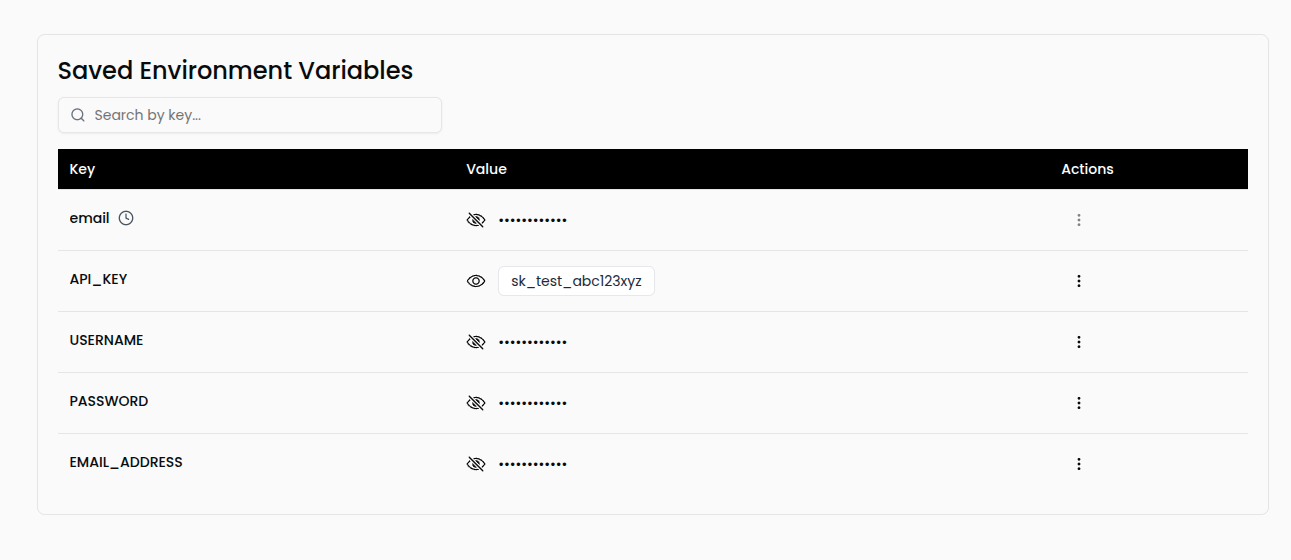
- Supply the Key (e.g.,
API_KEY) and Value for the chosen environment. - Save to make the variable instantly available for prompts and AI-generated flows.
🔐 Security: Values are encrypted at rest and only surfaced to the Nota agent while a workflow is running.
Bulk Upload Options
Upload multiple variables at once using either JSON or.env files. Choose the format that matches how you already manage secrets.
Example View
Best Practices
- Prefix keys (e.g.,
STRIPE_,AWS_) so they group naturally. - Pair with Rotation Rules when values need to change on a schedule.
- Audit regularly—remove unused keys to keep prompts tidy.