> ## Documentation Index
> Fetch the complete documentation index at: https://docs.trynota.ai/llms.txt
> Use this file to discover all available pages before exploring further.
# Suite
# 🚀 Suite Overview
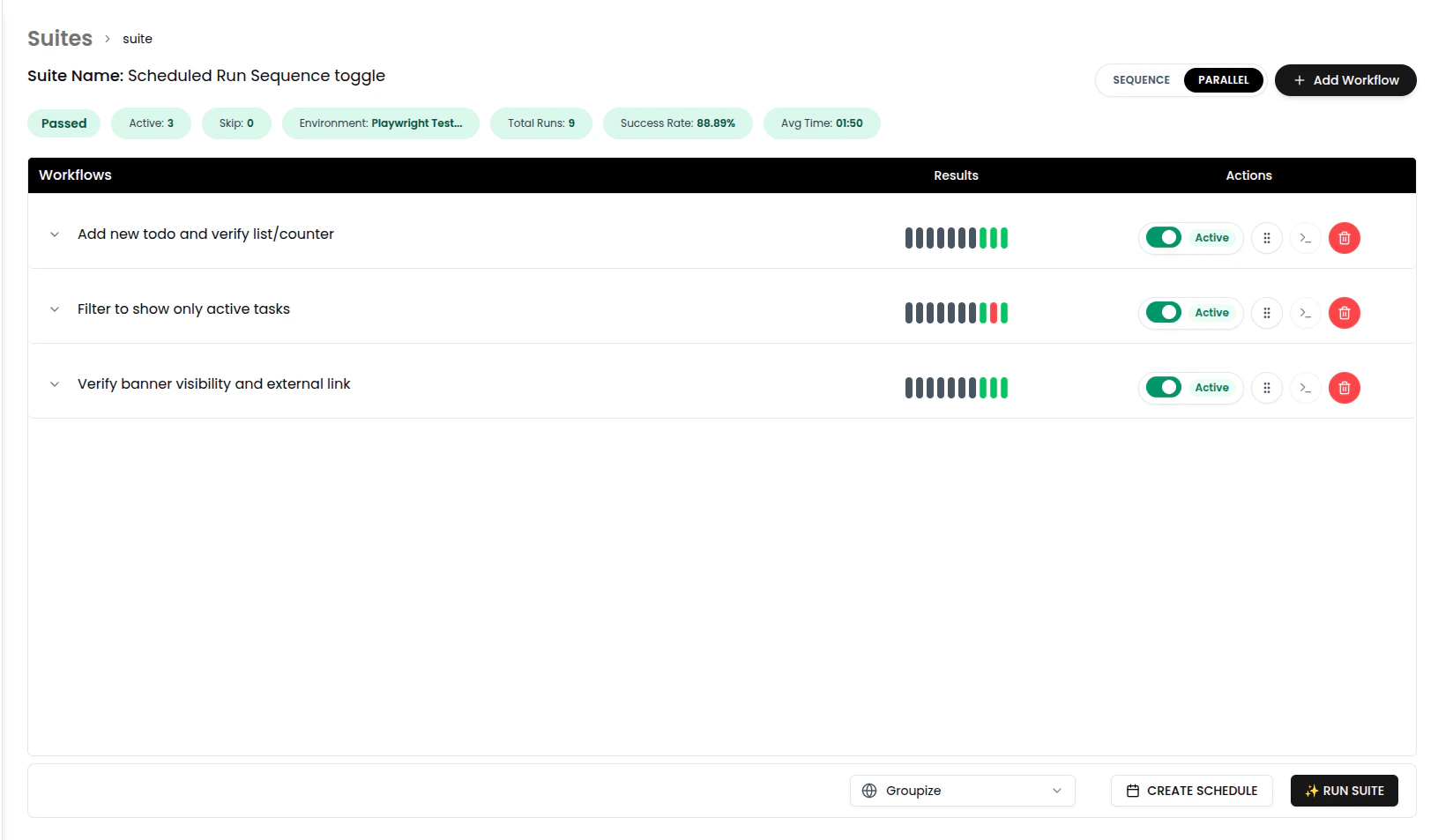
Welcome to the **Suite Details Page** – your hub to **create, run, and manage test suites** with workflows inside. Simple, efficient, and built for speed.
***
## ✨ What is a Suite?
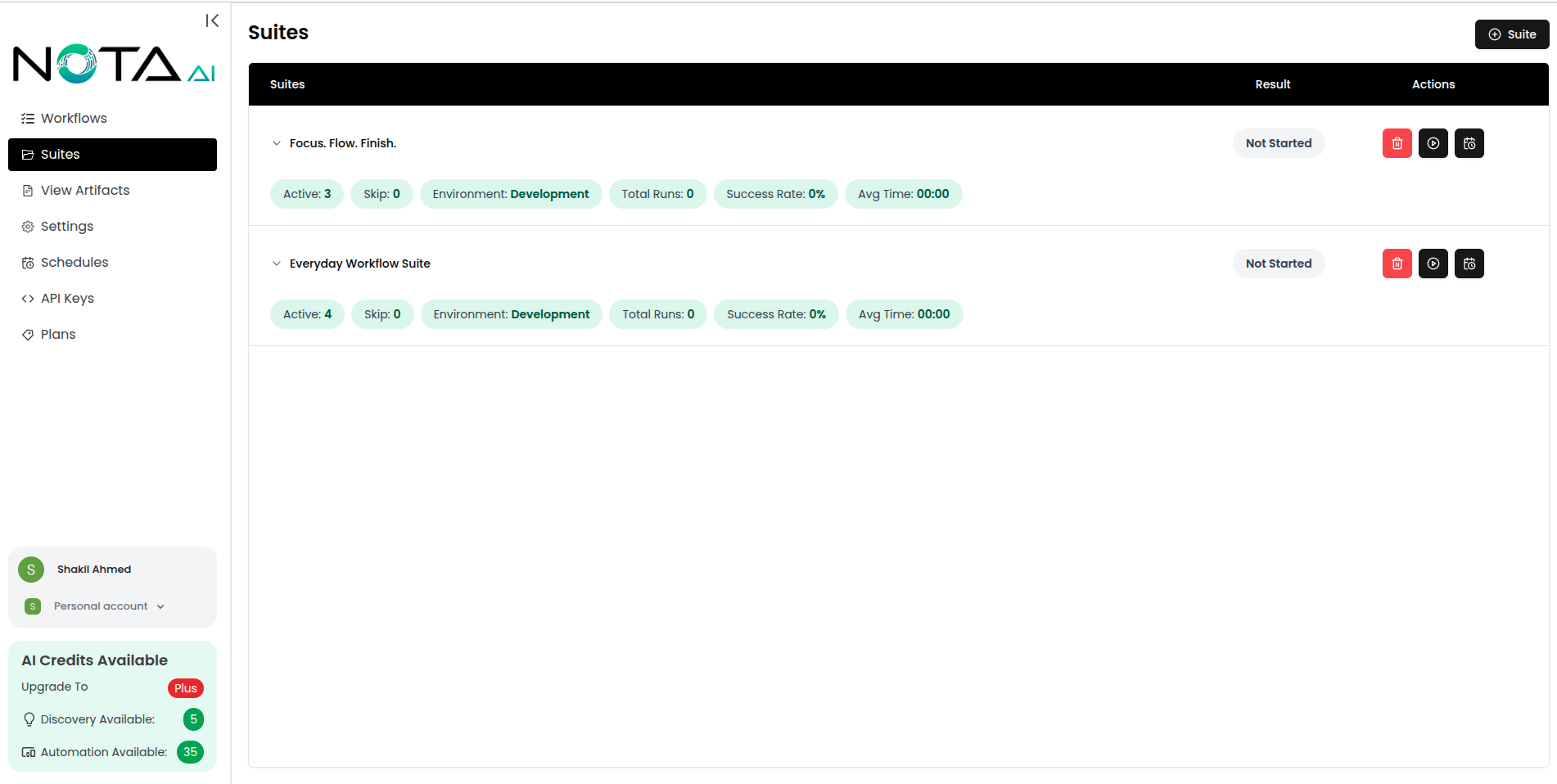
A **Suite** is a group of workflows bundled together for easier execution and scheduling. It helps you manage automation logic as one unit.
 ***
## 🔧 What You Can Do
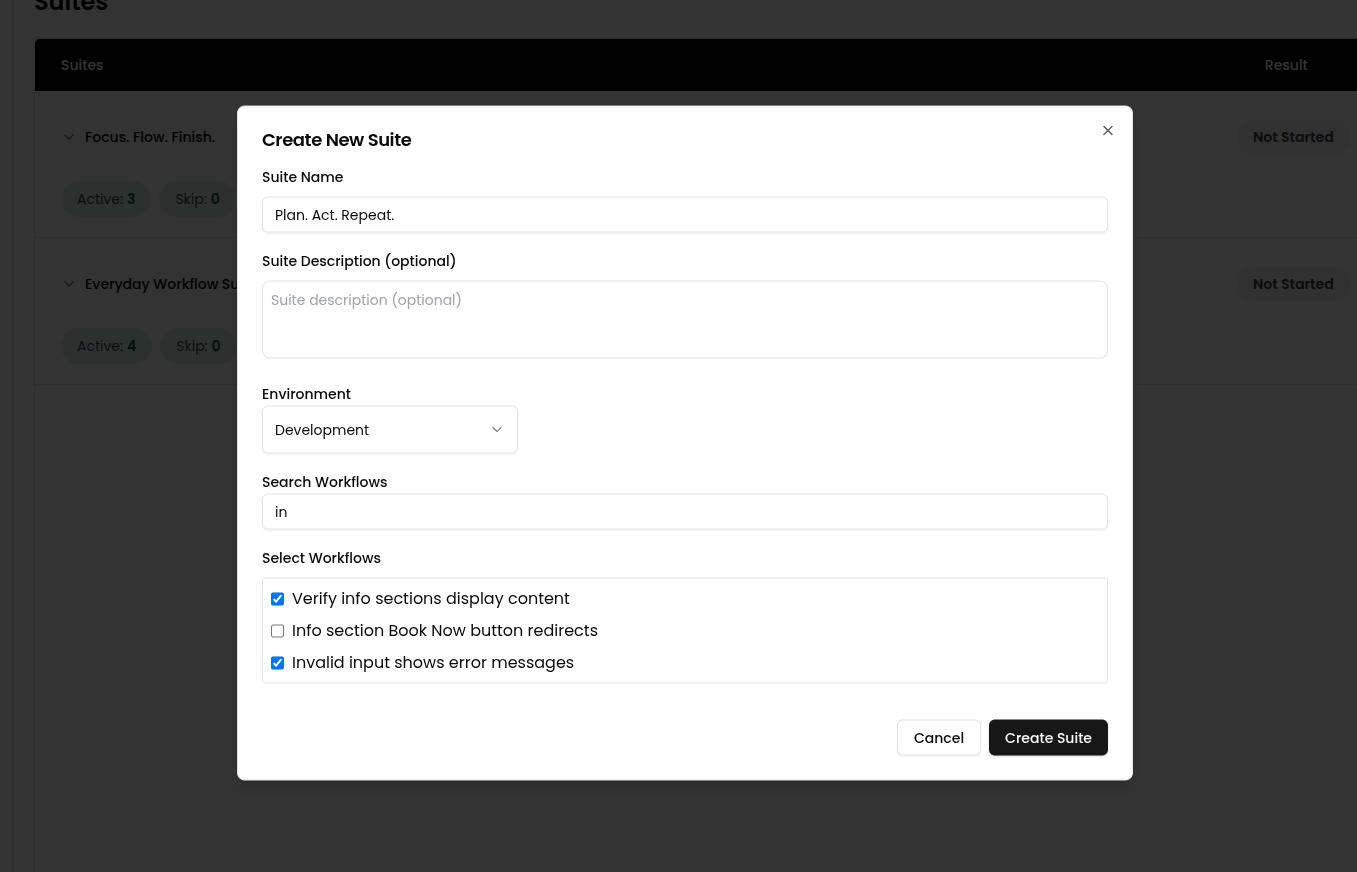
### 🆕 1. Create a Suite
* 📌 Name your suite
* 🧩 Add one or more workflows
***
## 🔧 What You Can Do
### 🆕 1. Create a Suite
* 📌 Name your suite
* 🧩 Add one or more workflows
 ***
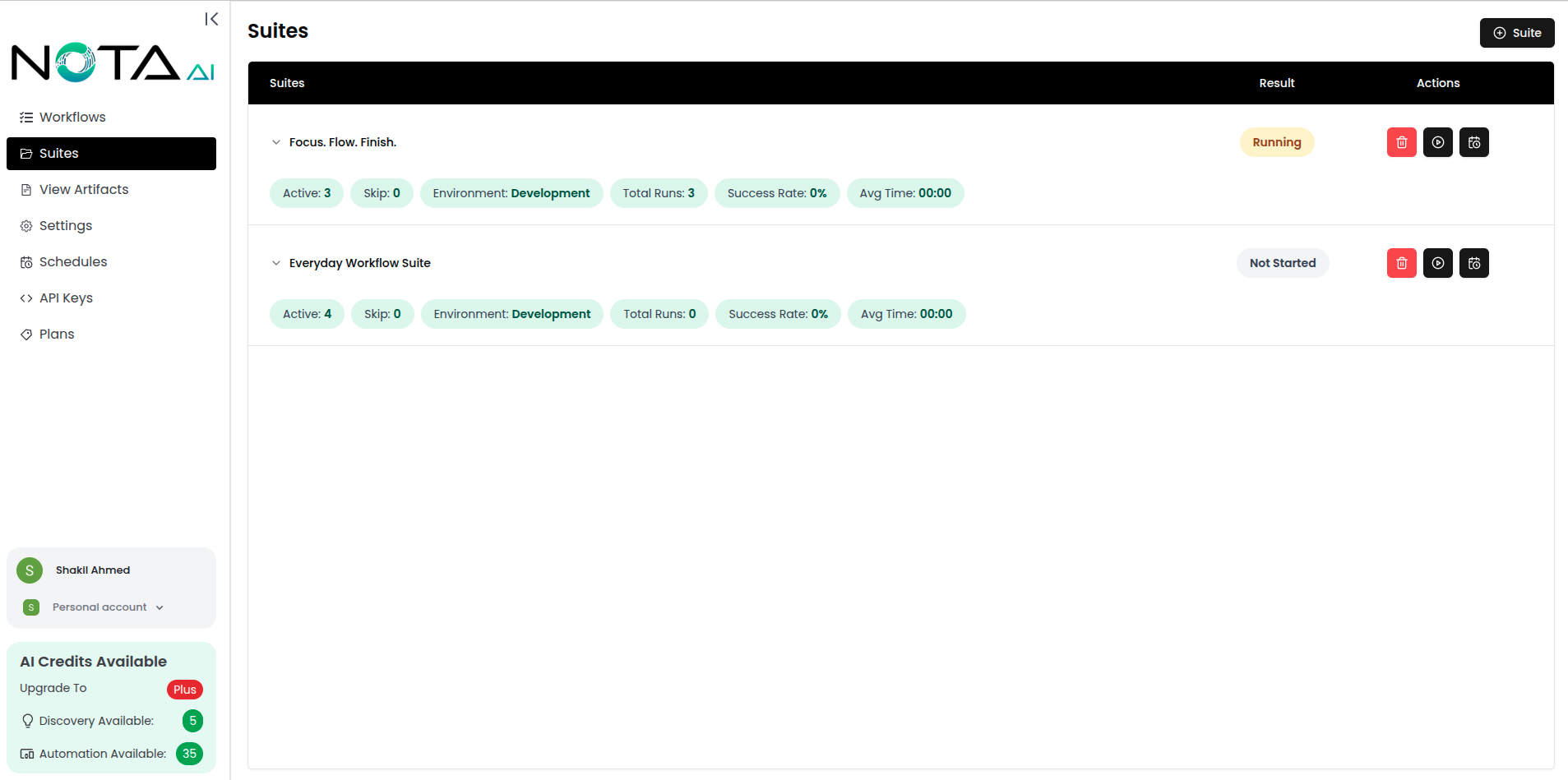
### 🚀 2. Run a Suite
Instantly trigger the execution of all workflows in a suite.
* 🧾 View real-time status and logs
* ⏱️ Monitor outcomes: Passed, Failed, Failed (Bug), and Env Failure
***
### 🚀 2. Run a Suite
Instantly trigger the execution of all workflows in a suite.
* 🧾 View real-time status and logs
* ⏱️ Monitor outcomes: Passed, Failed, Failed (Bug), and Env Failure
 ***
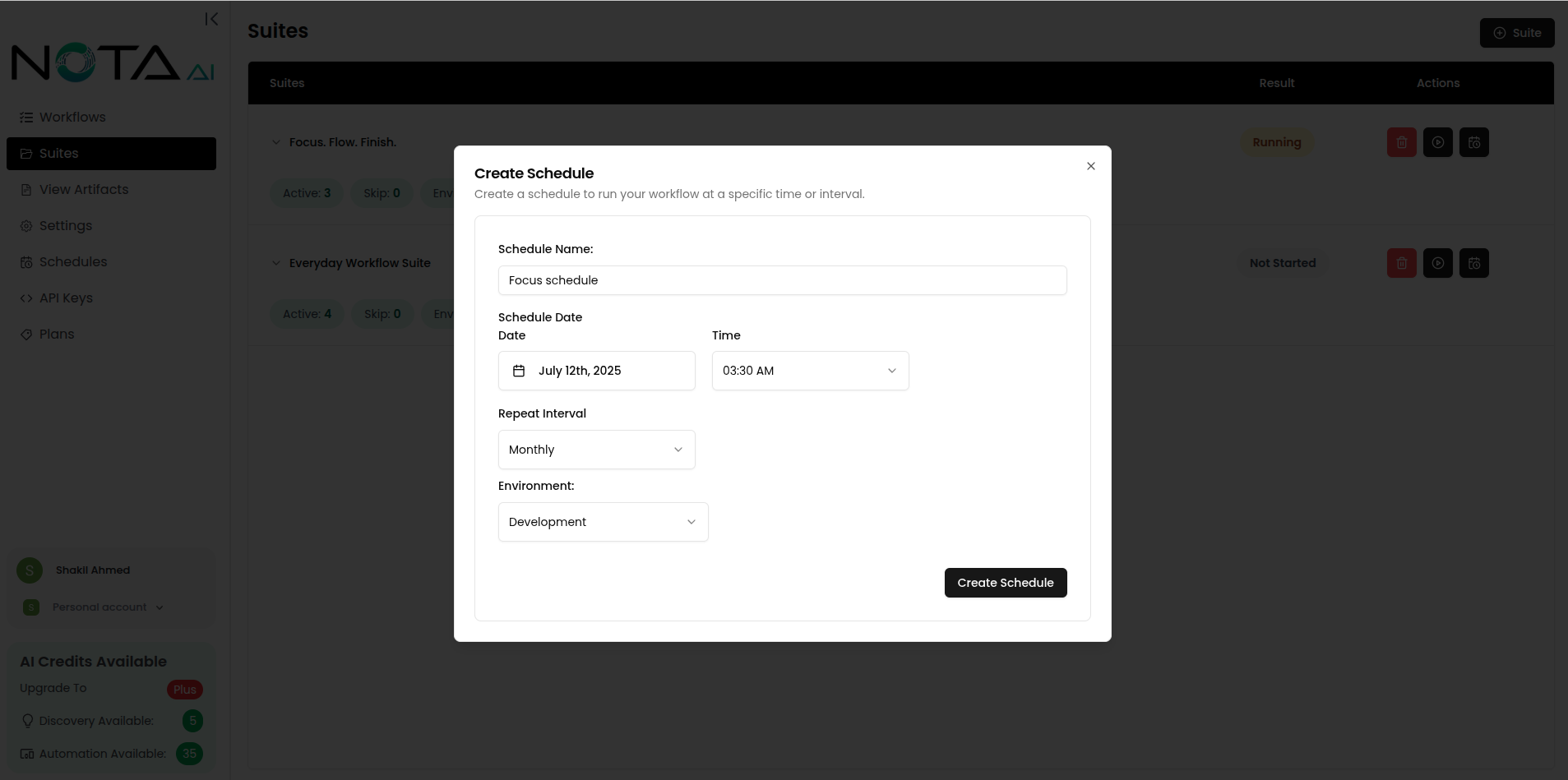
### 📆 3. Schedule a Suite
* ⏰ Create scheduled runs for consistent execution
* 🔁 Useful for nightly builds or timed test cycles
***
### 📆 3. Schedule a Suite
* ⏰ Create scheduled runs for consistent execution
* 🔁 Useful for nightly builds or timed test cycles
 ***
### 🧭 4. Sequential vs Parallel (Suite Run)
When you run a suite, use the **toggle** to choose how workflows execute:
* **Sequential** runs workflows **one after another**.
* **Parallel** runs workflows **at the same time**.
***
### 🧭 4. Sequential vs Parallel (Suite Run)
When you run a suite, use the **toggle** to choose how workflows execute:
* **Sequential** runs workflows **one after another**.
* **Parallel** runs workflows **at the same time**.
 ### 🎯 5. Manage Workflows in a Suite
Control which workflows are active:
* ⏸️ Skip workflows temporarily
* ✅ Reactivate skipped workflows
* 🔀 Re-order workflows with **drag and drop** before running the suite.
### 🎯 5. Manage Workflows in a Suite
Control which workflows are active:
* ⏸️ Skip workflows temporarily
* ✅ Reactivate skipped workflows
* 🔀 Re-order workflows with **drag and drop** before running the suite.
 ***
## 🧭 How to Get Here
`Dashboard → Suites → Select a Suite`
***
***
## 🧭 How to Get Here
`Dashboard → Suites → Select a Suite`
***