> ## Documentation Index
> Fetch the complete documentation index at: https://docs.trynota.ai/llms.txt
> Use this file to discover all available pages before exploring further.
# Quickstart
> Set up, create workflows, and start testing—get your first test running in minutes! 🚀
## Set Up Your Account
Welcome to **Nota AI**! Now that you’ve subscribed via app.trynota.ai, it’s time to set up your first test environment and create a workflow.
### 1. Create Your Testing Environment
Before running any workflow, you need to define an environment—this is where your workflows will execute.
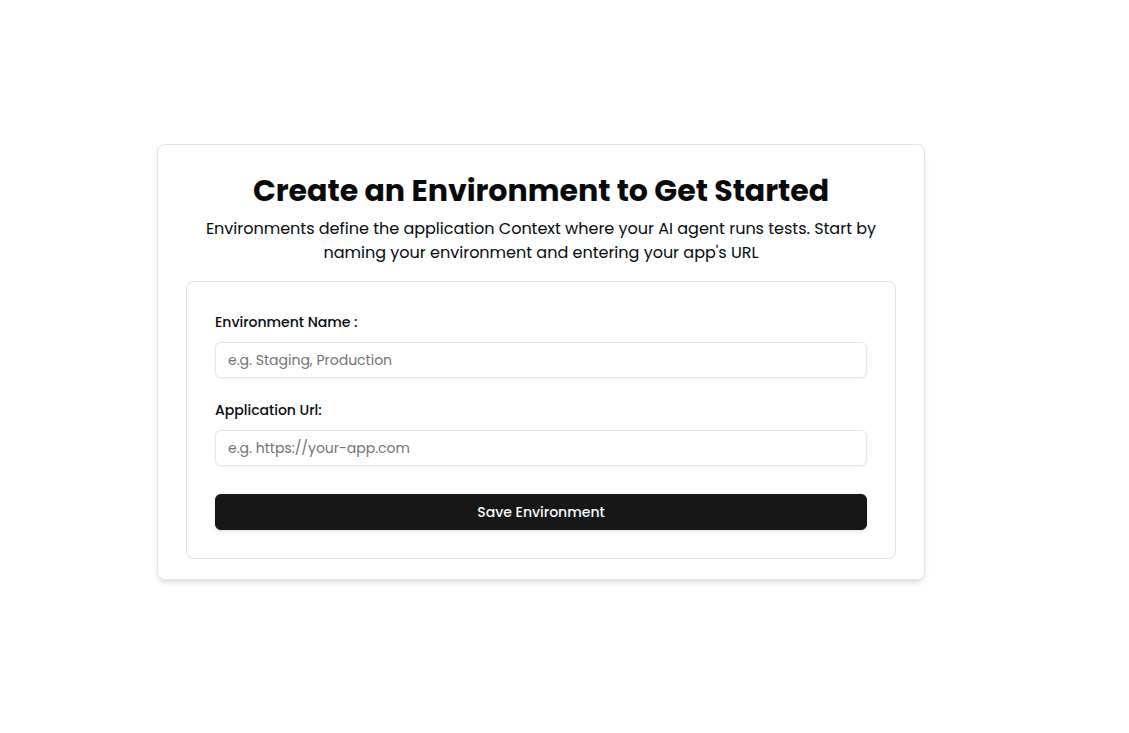 > 💡 You can create multiple environments for staging, production, or custom test setups.
Once the environment is set up:
> 💡 You can create multiple environments for staging, production, or custom test setups.
Once the environment is set up:
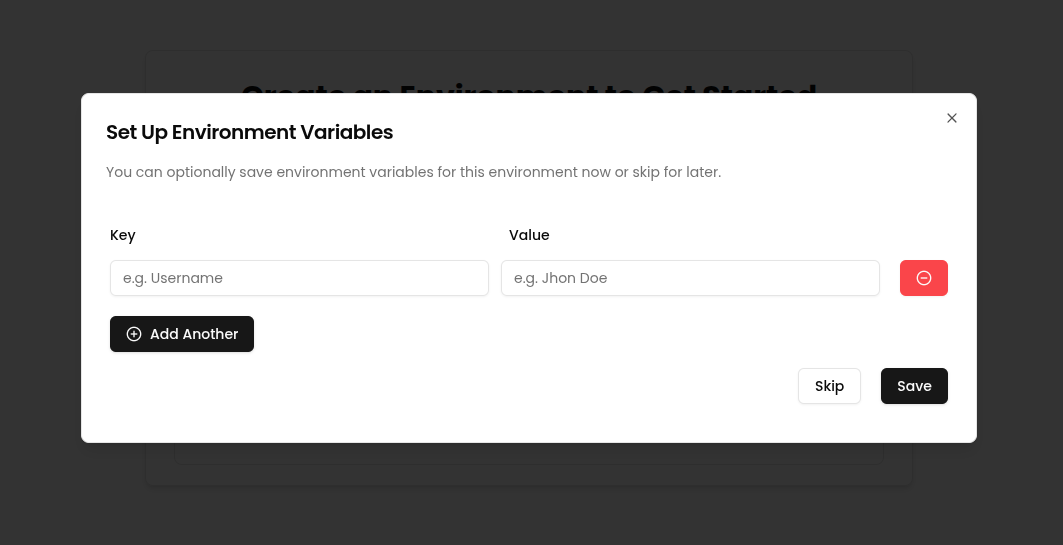 * You can **create placeholders** immediately — these are key-value pairs used to inject dynamic values (like file names, tokens, URLs, etc.) into your workflow prompts.
* Or, you can **skip placeholder setup** for now and add them later from the **Settings → Files** or **Settings → Placeholders** page.
This gives you flexibility to configure the environment either upfront or incrementally as your workflows evolve.
### 2. Create Your First Workflow
A **workflow** defines the sequence of test steps Nota AI will perform—representing a real user flow.
* You can **create placeholders** immediately — these are key-value pairs used to inject dynamic values (like file names, tokens, URLs, etc.) into your workflow prompts.
* Or, you can **skip placeholder setup** for now and add them later from the **Settings → Files** or **Settings → Placeholders** page.
This gives you flexibility to configure the environment either upfront or incrementally as your workflows evolve.
### 2. Create Your First Workflow
A **workflow** defines the sequence of test steps Nota AI will perform—representing a real user flow.
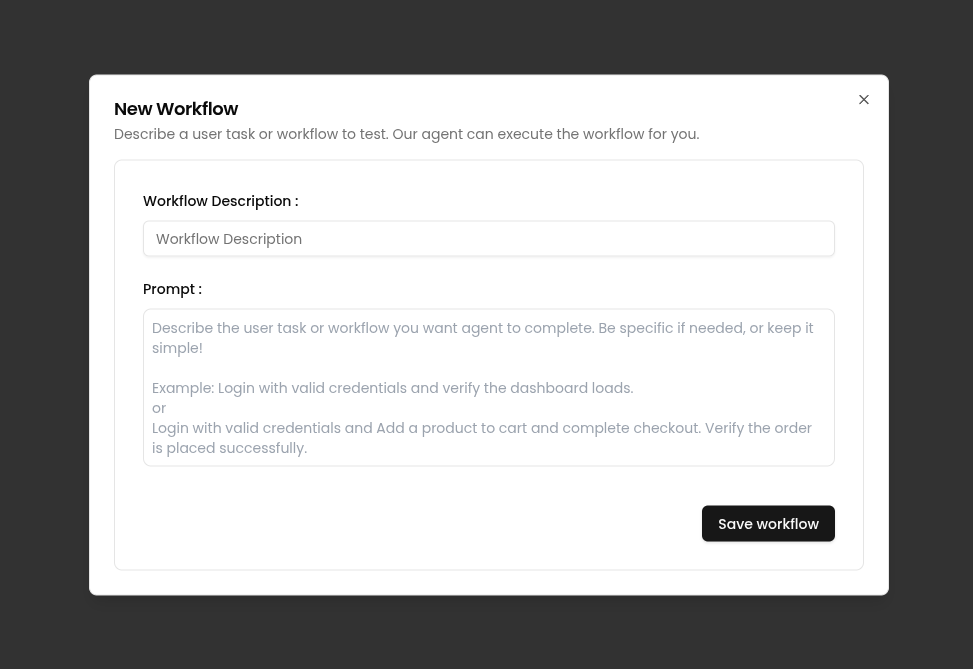 > ✨ Workflows can be generated from URLs, scenarios, or even plain-language descriptions.
***
With your environment and first workflow ready, you're all set to harness the full power of Nota AI! 🚀
> ✨ Workflows can be generated from URLs, scenarios, or even plain-language descriptions.
***
With your environment and first workflow ready, you're all set to harness the full power of Nota AI! 🚀